
3.7. Domain activity logging#
The Admin Diary app from Univention App Center records important events in the domain. It includes the following capabilities:
Creation, movement, modification, and deletion of user objects and other objects through the Univention Directory Manager.
Installation, update, and removal of apps.
Server password changes.
Start, end, and possible failures of domain joins.
Start and end of Nubus for UCS updates.
3.7.1. Admin Diary components#
The app consists of the following components:
- Admin Diary backend
The backend includes a customization for rsyslog and writes to a central database, which defaults to PostgreSQL. If you have MariaDB or MySQL already installed on the target system, the backend uses it instead of PostgreSQL.
- Admin Diary frontend
The frontend provides the Admin Diary management module to view and comment on diary entries.
3.7.2. View and search diary entries#
Fig. 3.2 shows events in the Admin Diary management module. By default, the module groups entries by week. You can also filter them using the search field.
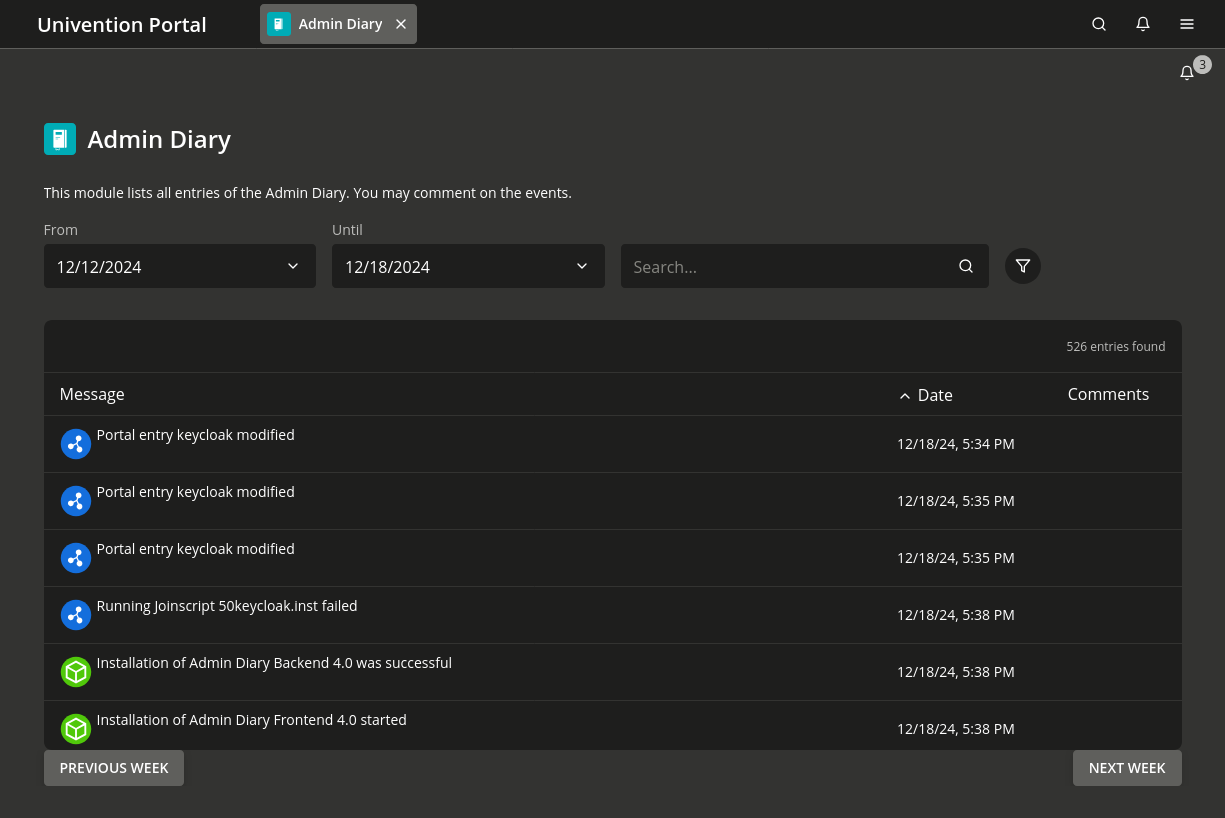
Fig. 3.2 Events view in the Admin Diary management module#
To view additional details about who triggered an event and when it occurred, select the entry from the list. A dialog similar to Fig. 3.3 appears. You can also add a comment to each event.
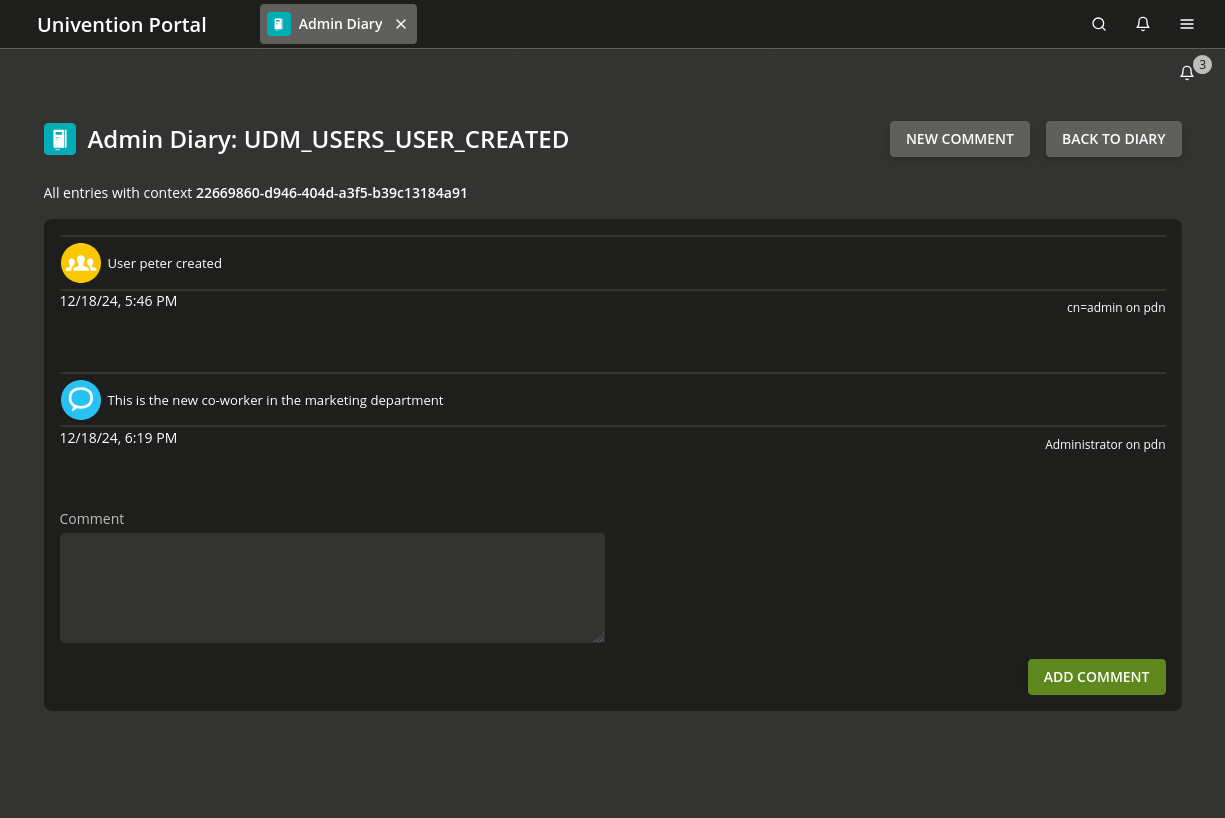
Fig. 3.3 Detail view in Admin Diary management module#
3.7.3. Set up Admin Diary#
Install both components through Univention App Center.
3.7.3.1. Install the backend#
Use Univention App Center to install the Admin Diary backend app on exactly one Nubus for UCS system in the domain. Complete this step before installing the frontend.
3.7.3.2. Install the frontend#
Use Univention App Center to install the Admin Diary frontend app on at least one Nubus for UCS system.
If you install the frontend on the same host as the backend, you don’t need any additional configuration. If you install it on a different host, see Configure database access for separate hosts.
3.7.3.3. Configure database access for separate hosts#
When the frontend and backend run on different hosts, configure the database access of the frontend manually. The backend stores its data in a central database, which defaults to PostgreSQL on the backend host.
For the configuration steps, see KB 11331 - Admin Diary - How to separate frontend and backend.