
4.8. Hardware information#
Univention collects data about hardware that customers use with Nubus for UCS. The Hardware information management module gathers this data.
Nubus for UCS sends the data only after you grant permission. It doesn’t attach any personal data to the transfer.
- Submit hardware information
To submit hardware information to Univention, follow these steps:
Open the Hardware information management module in the Management UI at .
Fill in the Manufacturer and Model fields. The module pre-fills these fields with values from your hardware’s DMI data. You can adjust the values and add an optional Comment. For an example, see Fig. 4.4.
If the hardware information relates to a support case, activate This is related to a support case and enter the ticket number in the next field.
Click Next to view the hardware information before you transfer it. Optionally, download a TAR archive of the hardware components by clicking Archive with system information.
Click Next again and choose the transfer method: Upload sends the data through HTTPS, and Send mail lets you send the archive by email.
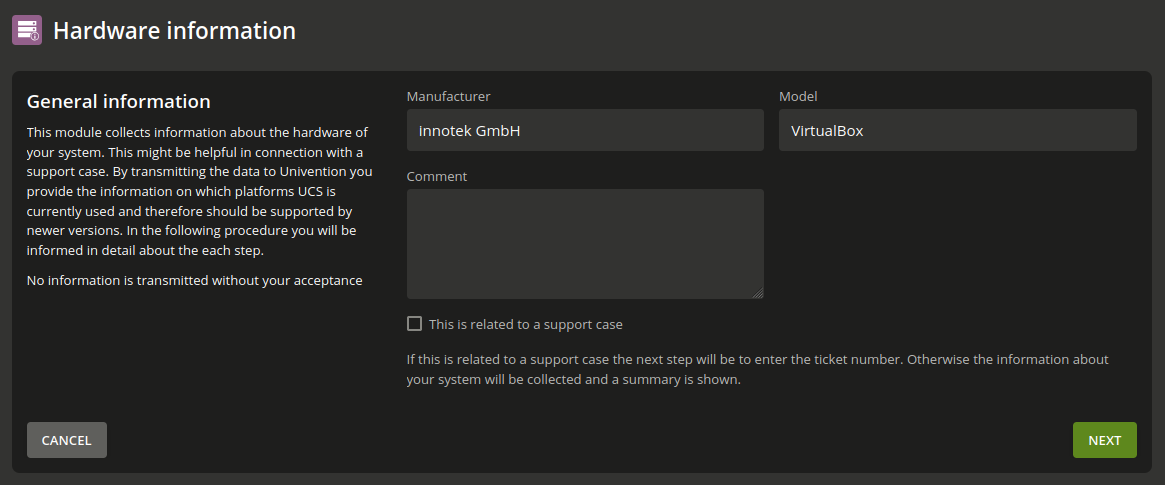
Fig. 4.4 The Hardware information management module start dialog#