
5.9. Software monitor#
The software monitor uses a PostgreSQL database to track software packages across all Nubus for UCS systems. Administrators use it to see which package versions exist in the domain, identify problems, and plan staged updates.
To install the software monitor from the App Center select the Software installation monitor app, or install the univention-pkgdb package directly. For more information, see Package installation and management.
When Nubus for UCS systems install, uninstall, or update software,
they automatically update the package entries in the software monitor database.
The DNS service record _pkgdb._tcp
identifies the system running the software monitor.
See also
- Univention App Center
for information about Univention App Center.
5.9.1. Features and functions#
The Software monitor management module provides the following tabs:
- Search UCS systems
Search for installed packages and their version numbers by system name, UCS versions, and system role.
- Search software packages
Search the package status database by package name or installation status.
Fig. 5.8 shows an example of the package search results. See the column explanations later.
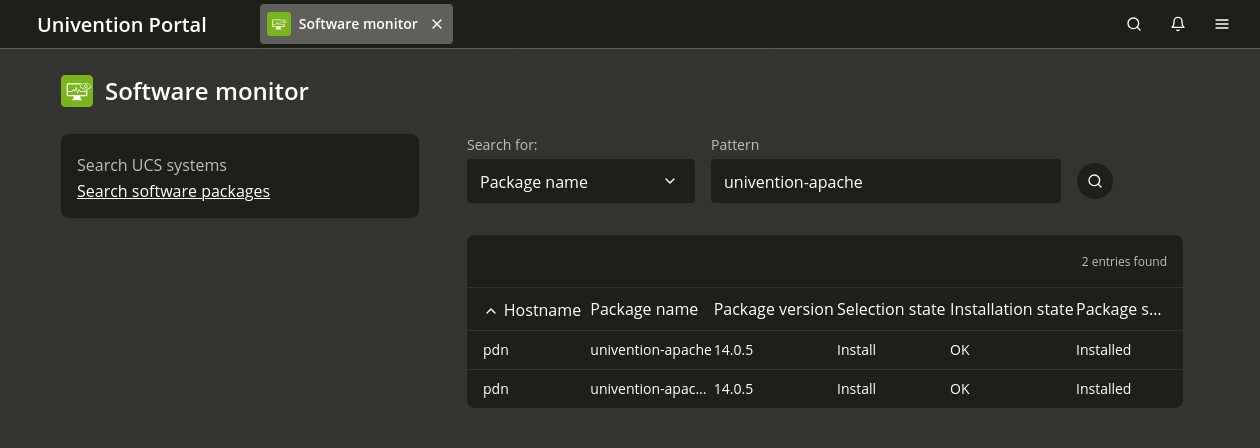
Fig. 5.8 The Software Monitor interface displays installed packages and their status information#
The results for the packages search have the following columns:
- Hostname
The name of the host where the package resides.
- Package name
The name of the package.
- Package version
The package version installed on the system.
- Selection state
The selection state indicates what the administrator wants the package manager to do with the package.
- Install:
Install the package.
- Hold:
Keep the current version without updates.
- Uninstall:
Remove the package while keeping its configuration files.
- Purge:
Completely remove the package and its configuration files.
- Not installed:
The package isn’t on the system.
- Installation state
The installation state indicates whether a package’s installation is healthy and ready for updates, or if it needs attention.
- OK:
The system can update the package when a newer version exists.
- Reinstall required:
The system needs to reinstall the package before it can proceed with updates.
- Hold:
The system holds the package and doesn’t update it.
- Hold + Reinstall required:
The system holds the package and also needs to reinstall it.
- Package state
The package state indicates the current status of a package on the system.
- Installed:
The system installed and fully configured the package.
- Not installed:
The system doesn’t have the package installed.
- Incomplete:
The system’s package installation or configuration didn’t complete.
- Config files only:
The system removed the package but kept its configuration files.
5.9.2. Configure the software monitor#
You can customize monitoring behavior to handle connectivity issues or system maintenance periods.
To deactivate software monitoring when Nubus for UCS systems can’t reach the database,
set the pkgdb/scan UCR variable to no.
To reactivate monitoring,
run the univention-pkgdb-scan command.
This command scans the system and adds to the database
any packages installed during the monitoring deactivation period.
Use the command in Listing 5.12
to remove a system’s packages from the database.
$ univention-pkgdb-scan --remove-system [HOSTNAME]