
7.3. Regional settings#
This page describes system settings that affect language, keyboard layout, time zone, and time synchronization on a system running Nubus for UCS.
7.3.1. Language, locale, and keyboard settings#
On Linux, locales define localization properties for software. Locales include settings for date formats, currency formats, character sets, and the language for internationalized programs. To change the installed locales:
To open the Language settings management module, in the Univention Portal go to . Fig. 7.3 shows the management module.
Set the default locale in Default system locale.
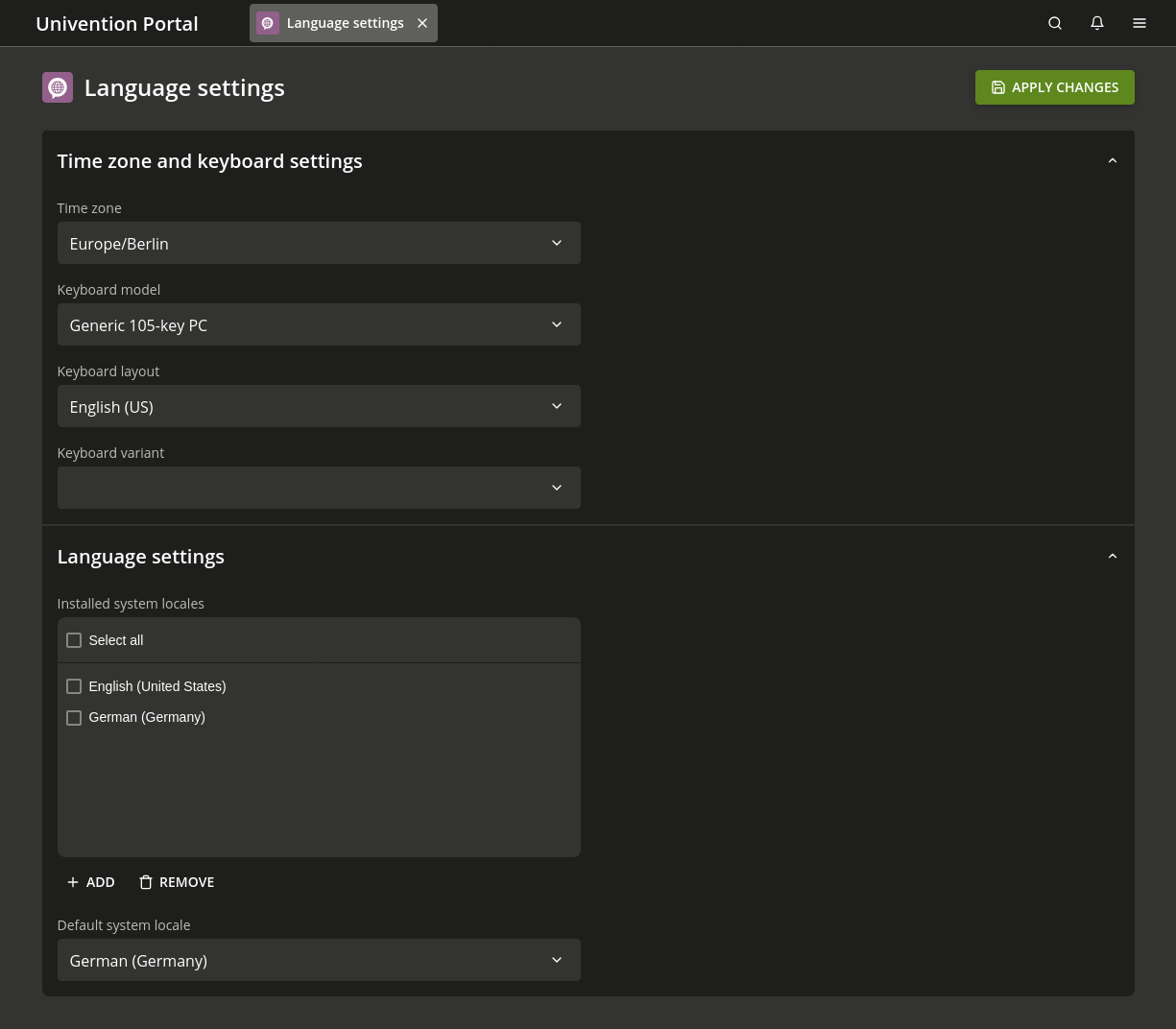
Fig. 7.3 Configuring the language settings#
7.3.2. Time zone and time synchronization#
To change the system time zone:
To open the Language settings management module, in the Univention Portal go to .
Go to .
Inconsistent system time between hosts in a domain can cause many errors. For example, it can affect the following components:
Log file reliability.
Kerberos operation.
Evaluation of password validity periods.
The Primary Directory Node usually acts as the timeserver for a domain.
To include external NTP servers as time sources,
set the UCR variables timeserver,
timeserver2, and timeserver3.
To synchronize the time manually, run ntpdate.
Windows clients in a Samba domain
accept only signed NTP time requests.
If you set the UCR variable ntp/signed to yes,
Samba signs NTP replies.